You can edit a product within your subscription by signing in on our website and then selecting the "Subscriptions" page. Please see the below image for further help on how you can edit a product within your subscription.
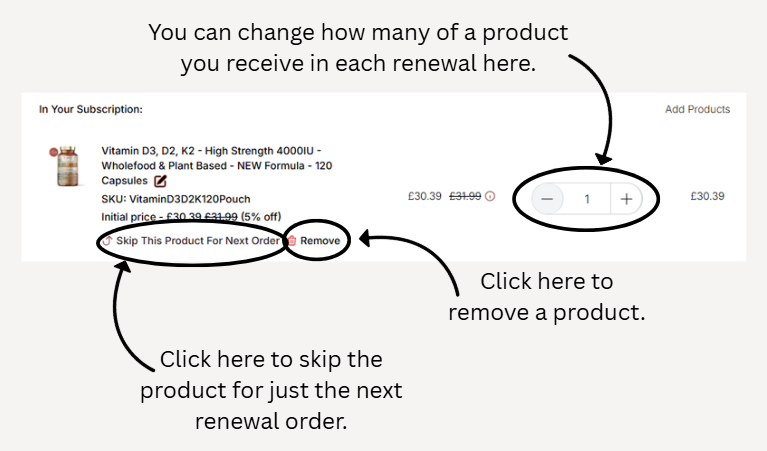
Make sure to click confirm in the box that appears after either skipping or removing a product to save your change or the subscription will revert to its .
Please note Amazon subscriptions cannot be viewed, edited or cancelled through our website, and you would need to do this through your Amazon account.
Was this article helpful?
That’s Great!
Thank you for your feedback
Sorry! We couldn't be helpful
Thank you for your feedback
Feedback sent
We appreciate your effort and will try to fix the article