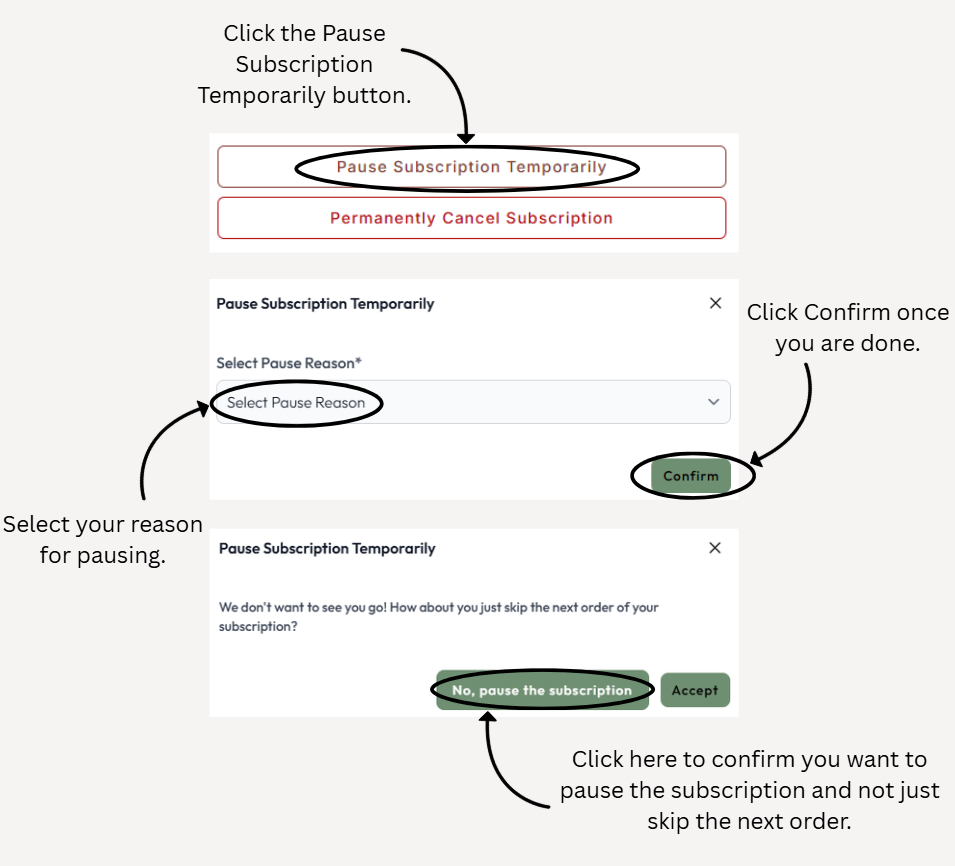
You can pause and restart your subscription by signing in to our website and then selecting the "Subscriptions" page. Please see the image below for further guidance on how to pause a subscription from this page.
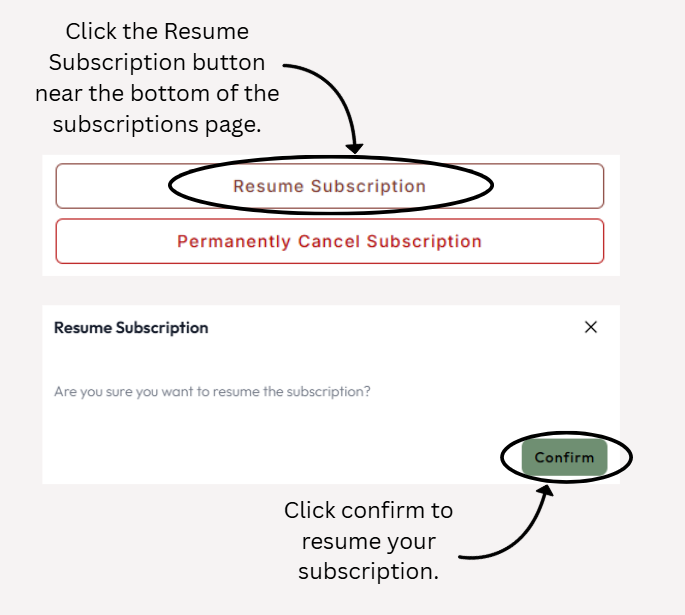
Once your subscription has been paused, you can resume it at any point through the 'Subscriptions' page on your account by following the steps shown in the below image.
Please note Amazon subscriptions cannot be viewed, edited or cancelled through our website, and you would need to do this through your Amazon account.
Was this article helpful?
That’s Great!
Thank you for your feedback
Sorry! We couldn't be helpful
Thank you for your feedback
Feedback sent
We appreciate your effort and will try to fix the article