You can cancel your subscription at any time with no penalties by signing in on our website and then selecting the 'Subscriptions' page. From this page simply select the cancel subscription button available at the bottom of the page, which will look like the one shown below.
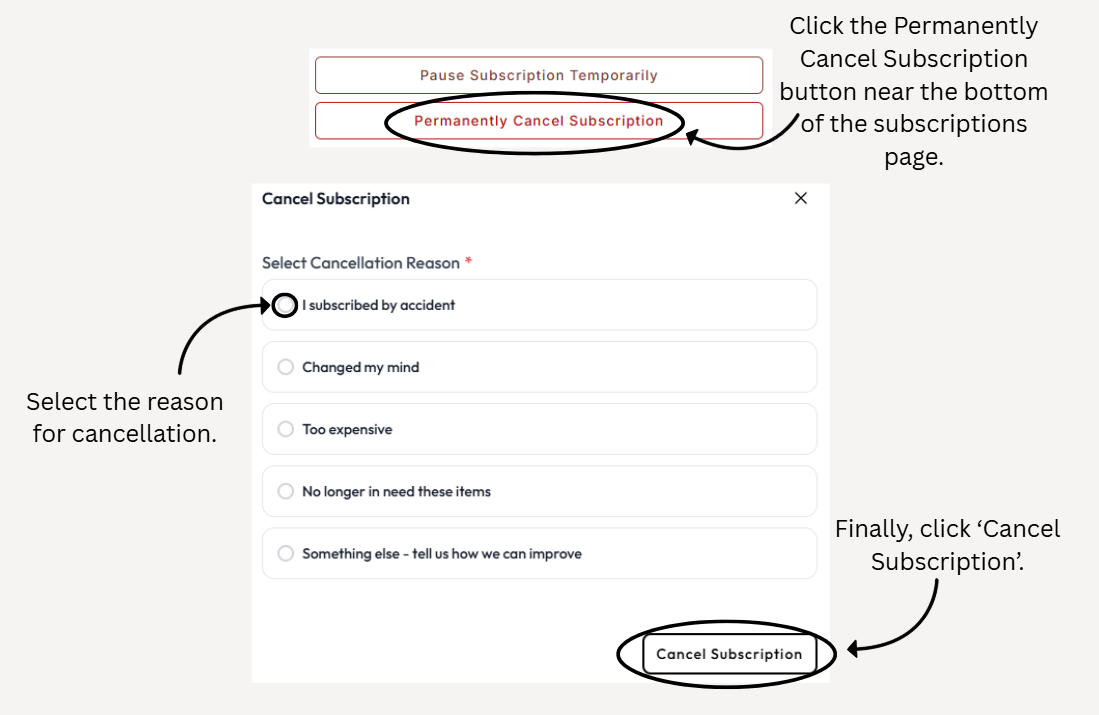
Please see the below video step by step guide on how to cancel a subscription.
Please note Amazon subscriptions cannot be viewed, edited or cancelled through our website, and you would need to do this through your Amazon account.
Was this article helpful?
That’s Great!
Thank you for your feedback
Sorry! We couldn't be helpful
Thank you for your feedback
Feedback sent
We appreciate your effort and will try to fix the article