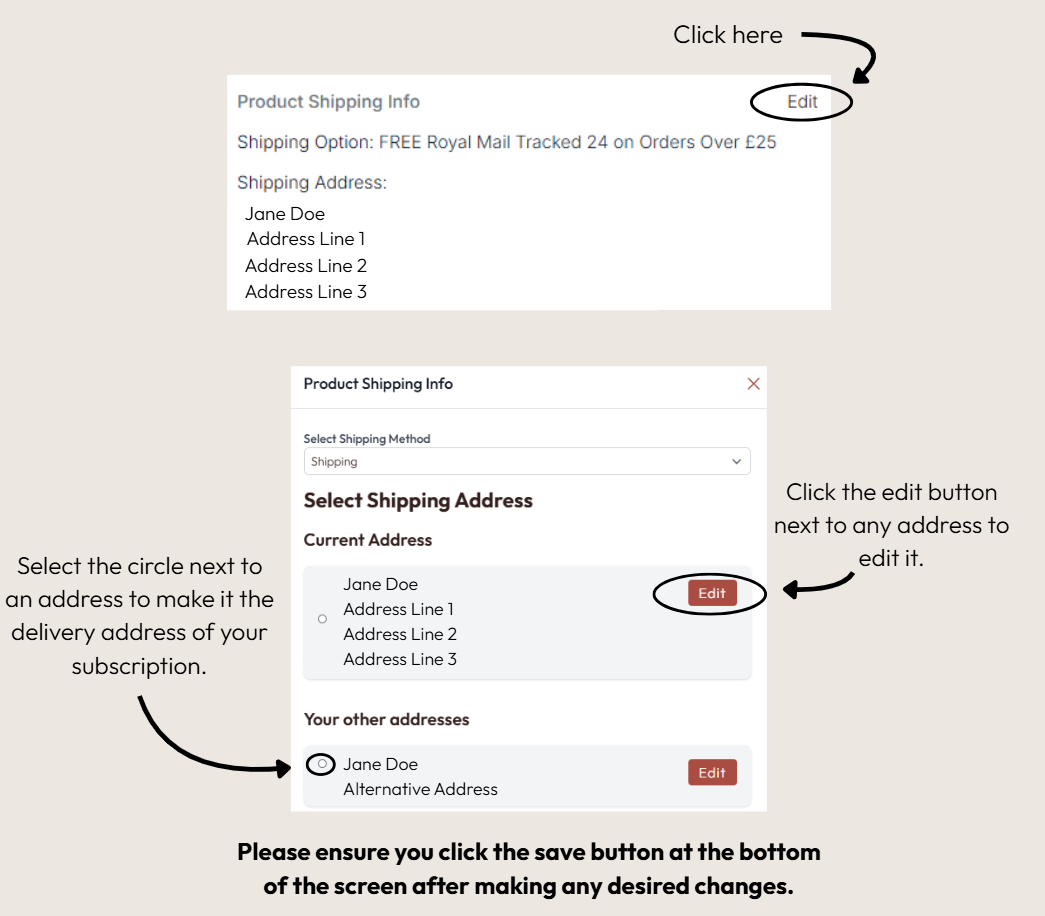
If the location you wish to have your subscription items delivered to has changed, you can easily edit the delivery address of your subscription by signing in on our website and then selecting the 'My Subscriptions' page. From here you can select the edit button in the 'Product Shipping Info' section and make your desired changes, as shown below.
Please note Amazon subscriptions cannot be viewed, edited or cancelled through our website, and you would need to do this through your Amazon account.
Was this article helpful?
That’s Great!
Thank you for your feedback
Sorry! We couldn't be helpful
Thank you for your feedback
Feedback sent
We appreciate your effort and will try to fix the article